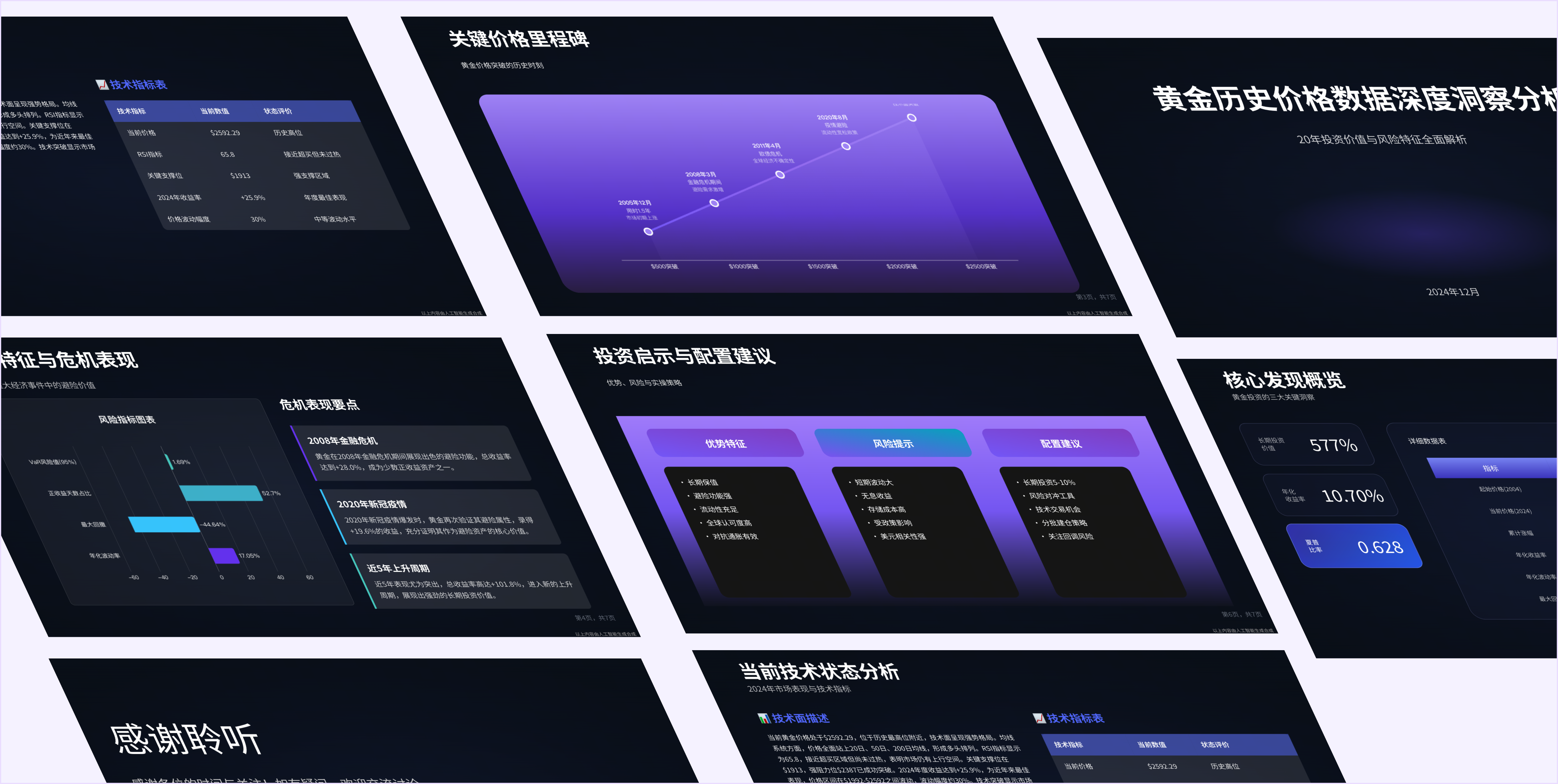
Generate a PPT in 5 Steps
1. Generate Analysis Results or Report Content Before creating your presentation, first use the Data Analysis or Task Planning features to have Raccoon AI generate high-quality content based on your needs. For example:
"Generate a market research report"
"Analyze sales data for July"
"Create a competitive product analysis"
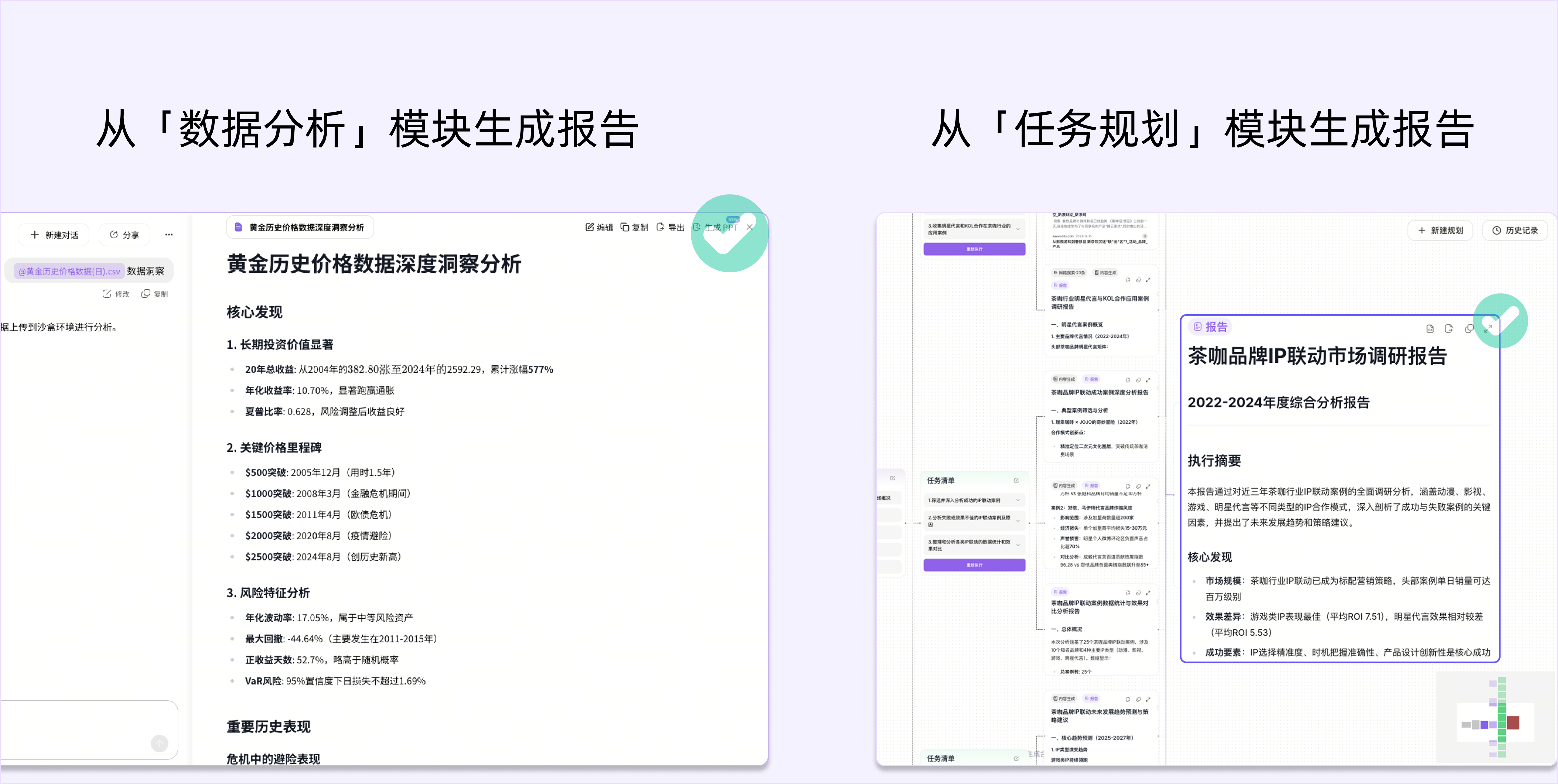
- 2. Click "Generate PPT" in the Top-Right Corner
Once your content is ready, click "Generate PPT" in the top-right corner of the editor to open the PPT generation interface.
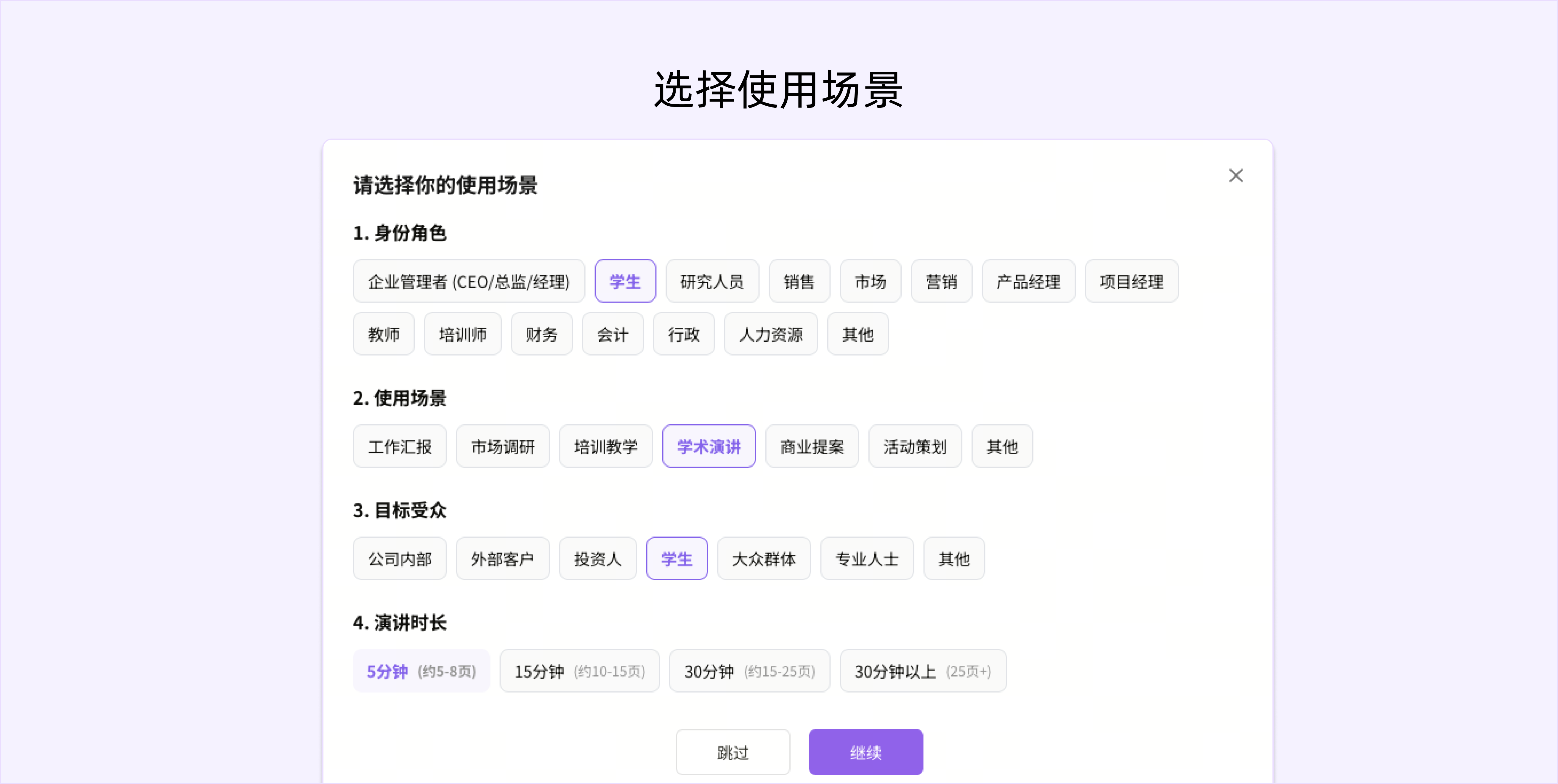
- 3. Select a Use Case
Based on your presentation's purpose, select the appropriate tags. The system will generate corresponding content and a template based on your selection.
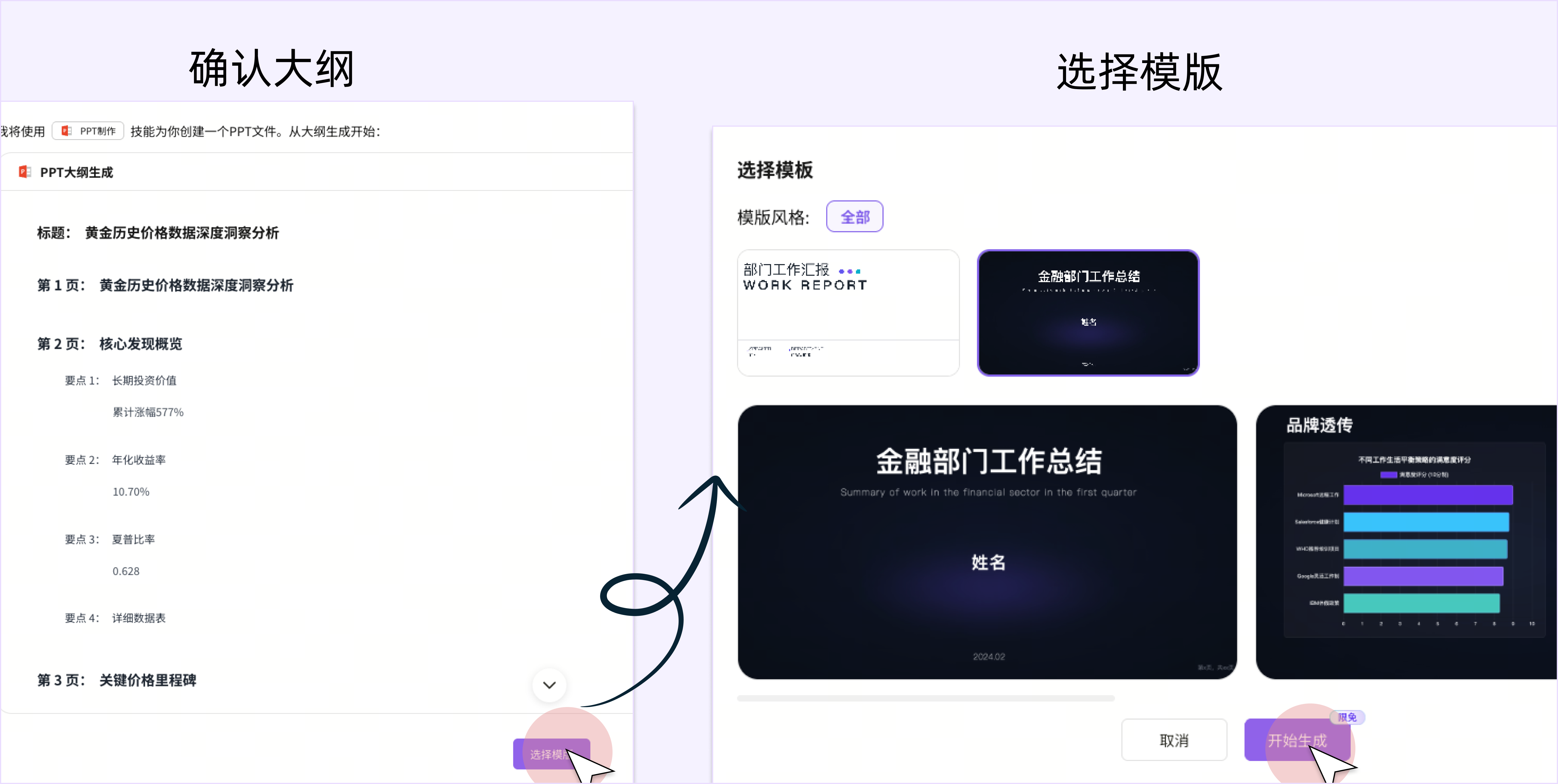
- 4. Confirm the Outline and Select a Template
The system will generate a PPT outline based on your report and the selected use case tags. In this step, you can make quick adjustments to the outline. Click "Next" to choose your preferred template style, and then click "Start Generating".
- 5. Review and Download the PPT
After the generation is complete, you can preview and edit the content in the PPT generation interface. You can download it to your local machine or create a shareable link.