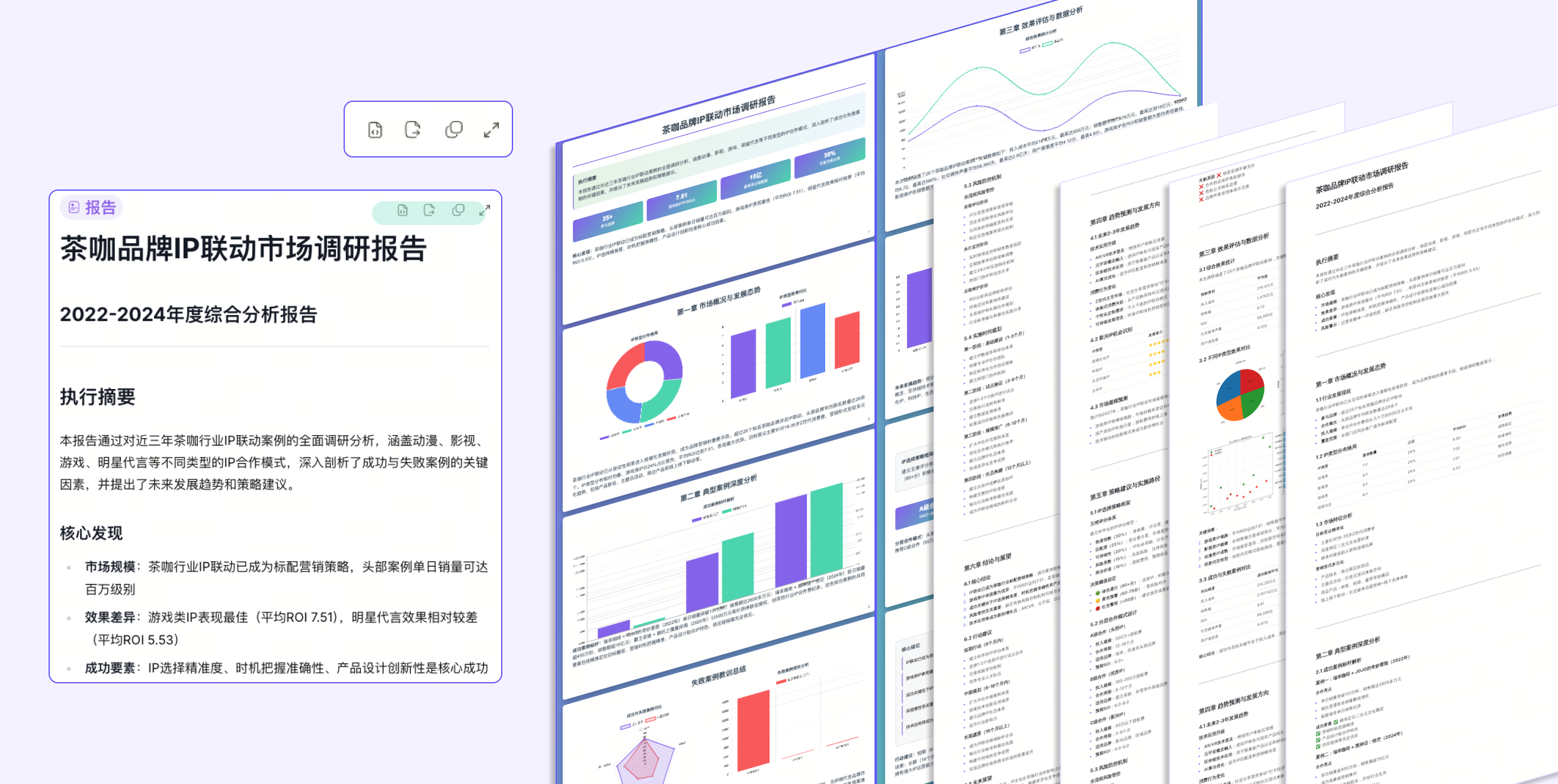
Quick Start: Task Planning
Next, you will learn how to create and complete a task plan, with AI assistance from goal setting to execution and breakdown.
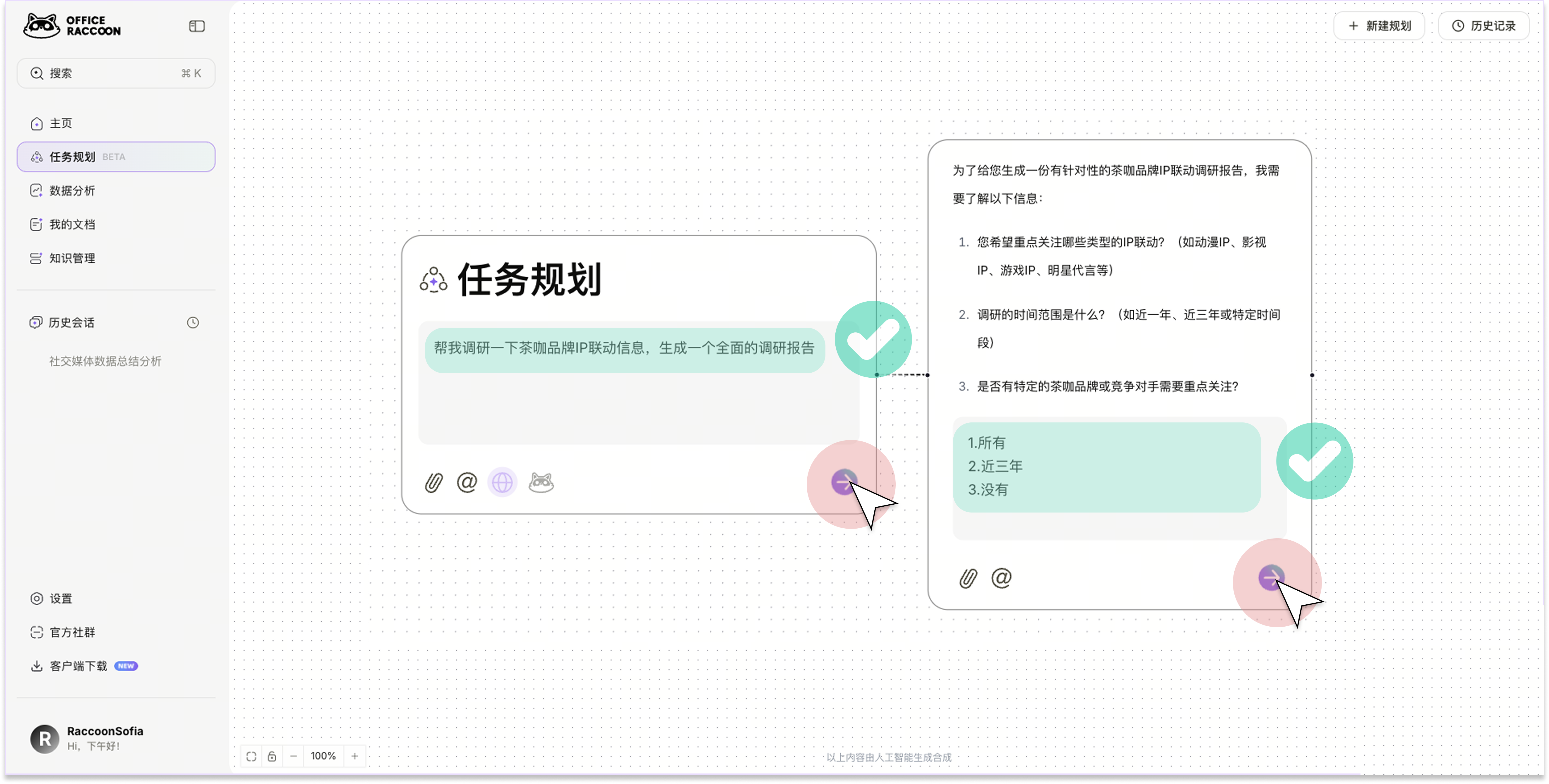
1. Describe the Task Goal
Describe your task and send it. Fill in any missing key information as prompted by the system. The system will automatically generate a goal checklist based on your input, providing an initial outline of the task.
For example: Help me research co-branding information for tea and coffee brands and generate a research report.
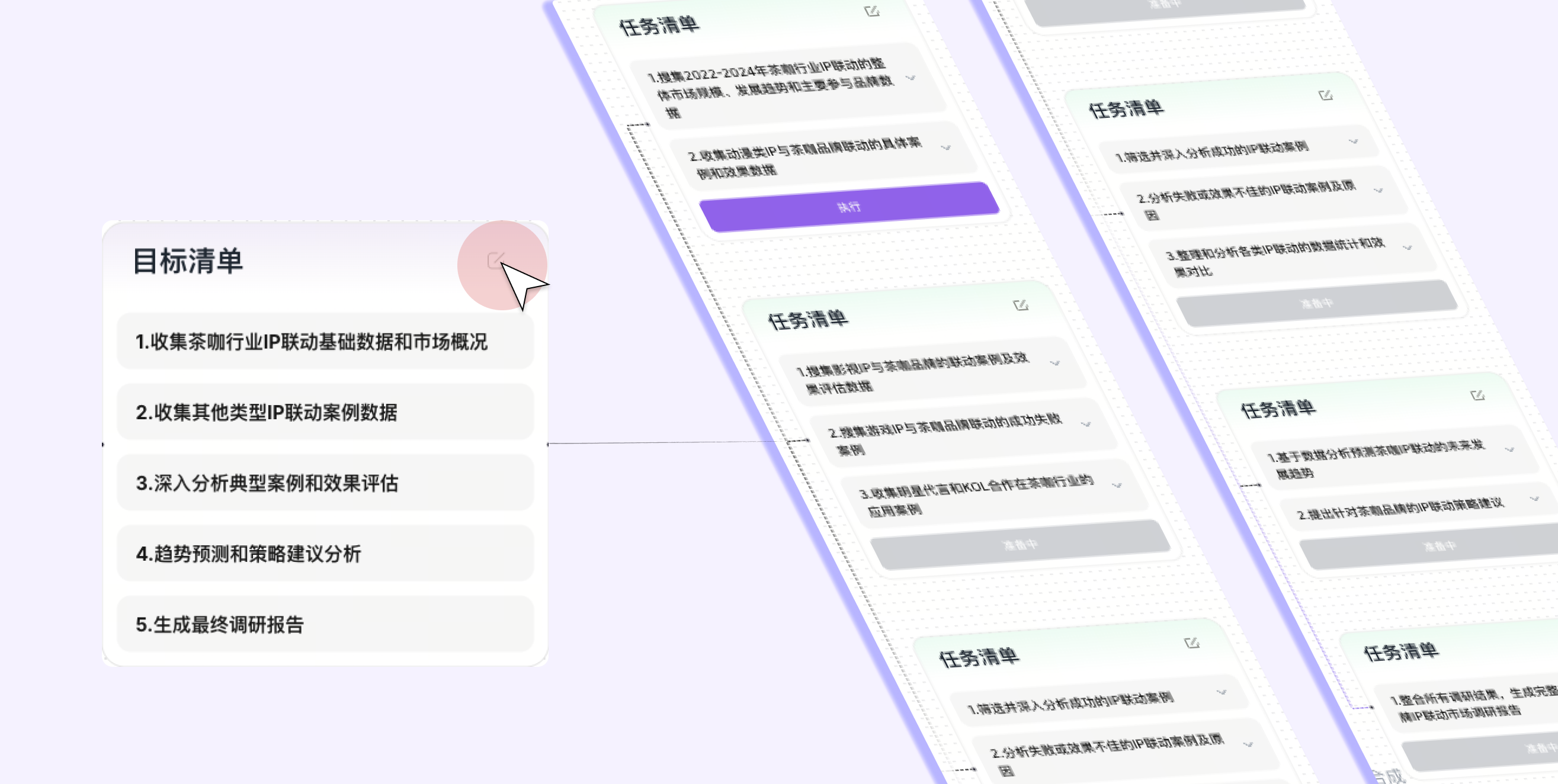
2. Adjust the Goal Checklist (Optional)
After the system generates the goal checklist, you can add, delete, split, or re-prioritize tasks in the list view.
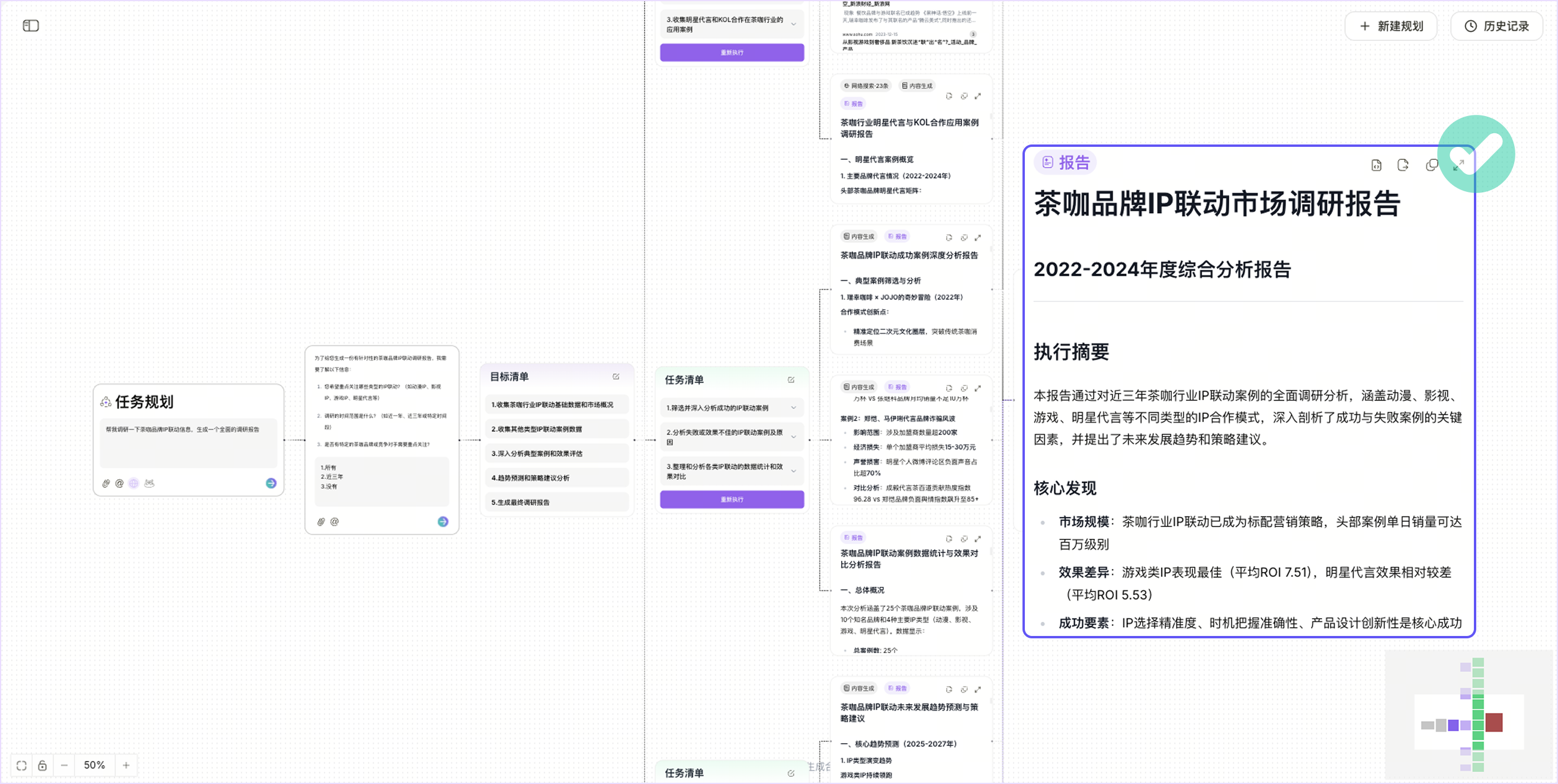
3. Execute the Task
The task will automatically start executing within 30 seconds after the goal checklist is generated, or you can start it manually. The system searches the web for relevant content (ensure the web search button is enabled) and then processes the information to generate the final report.
4. Export Results
You can export the report in PNG, PDF, MD, HTML, and PPT-style HTML formats.