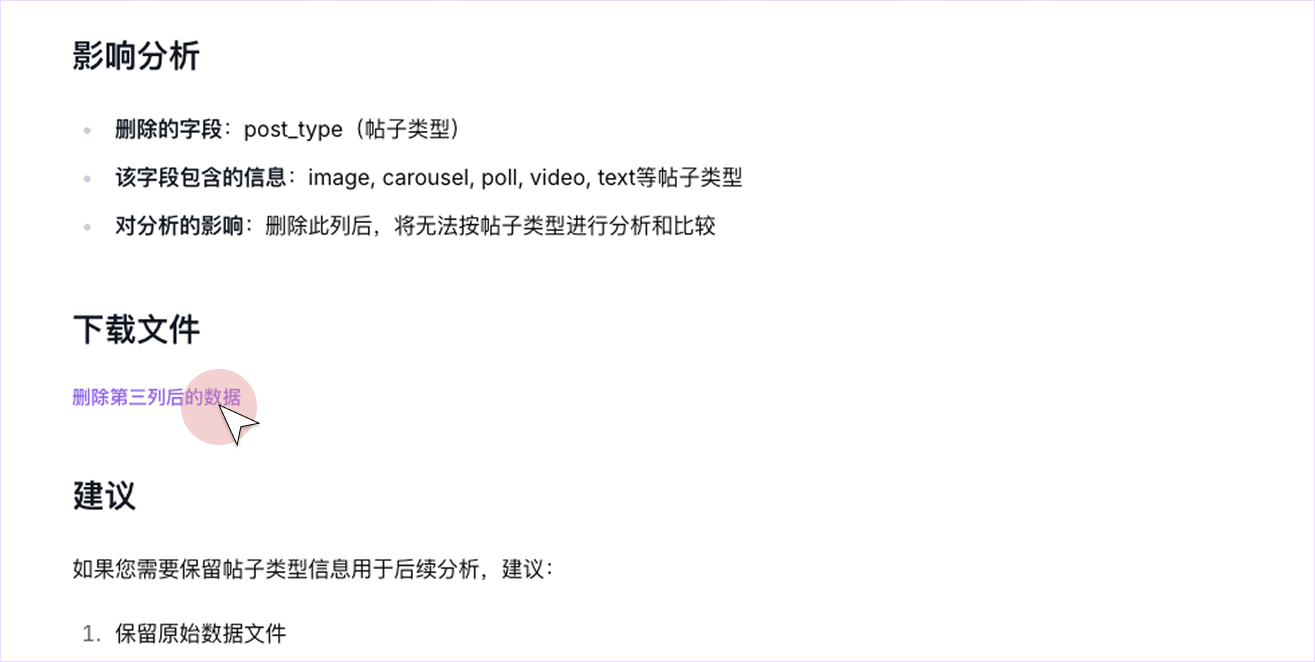
Quick Start: Data Analysis
Next, we will guide you step-by-step through uploading data, starting a conversation, analyzing and visualizing, generating a report, and exporting the results!
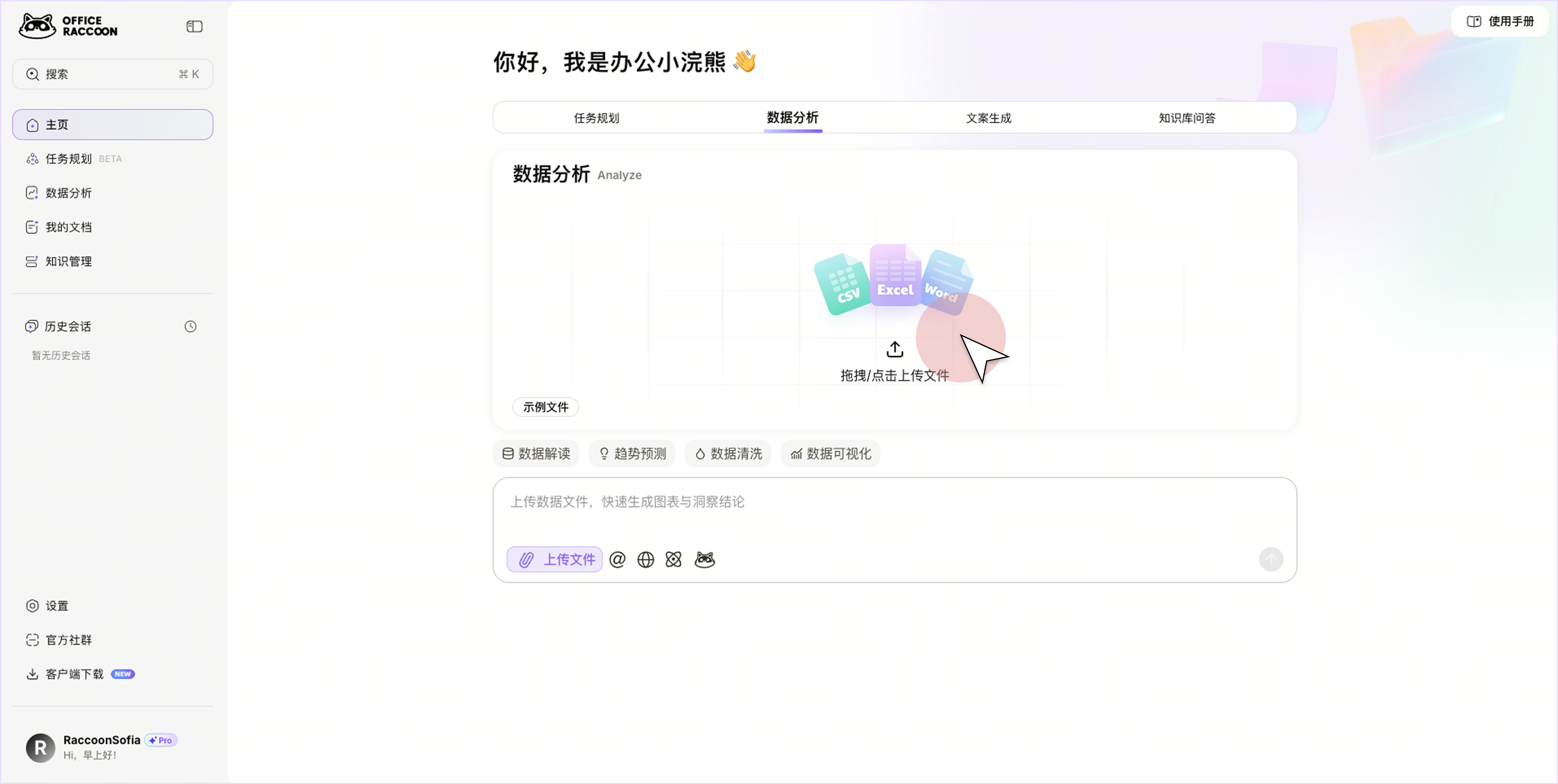
1. Upload a File
From the homepage or sidebar, navigate to the "Data Analysis" chat page. Click the 📎 icon to upload your file, or drag and drop it into the chat window. You can upload various file types, including CSV, Excel, JSON, PDF, images, and more.
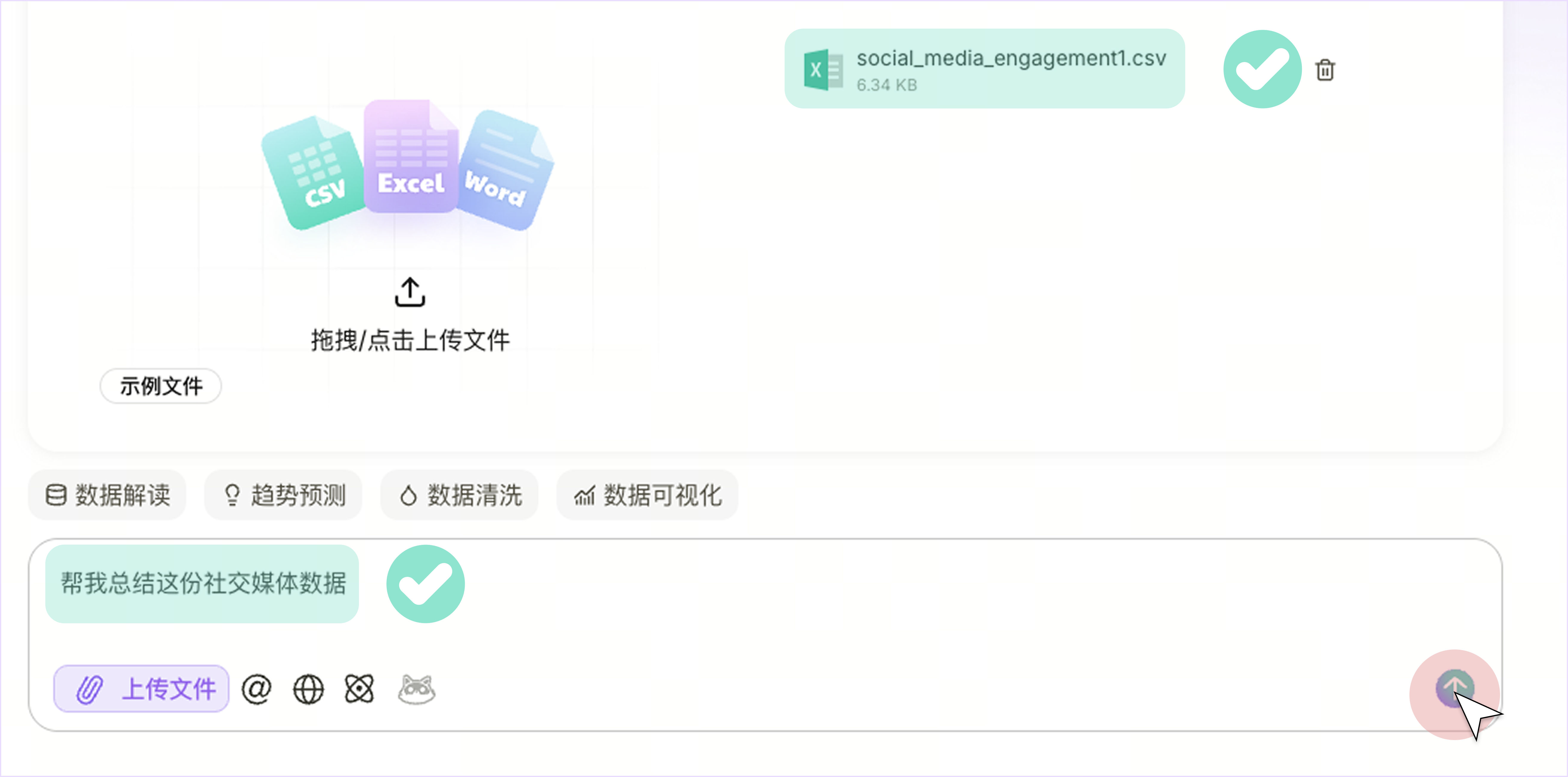
2. Ask a Question
In the chat window, send your request prompt along with the file. Please ensure your request is clear and concise.
For example: Summarize this social media data for me.
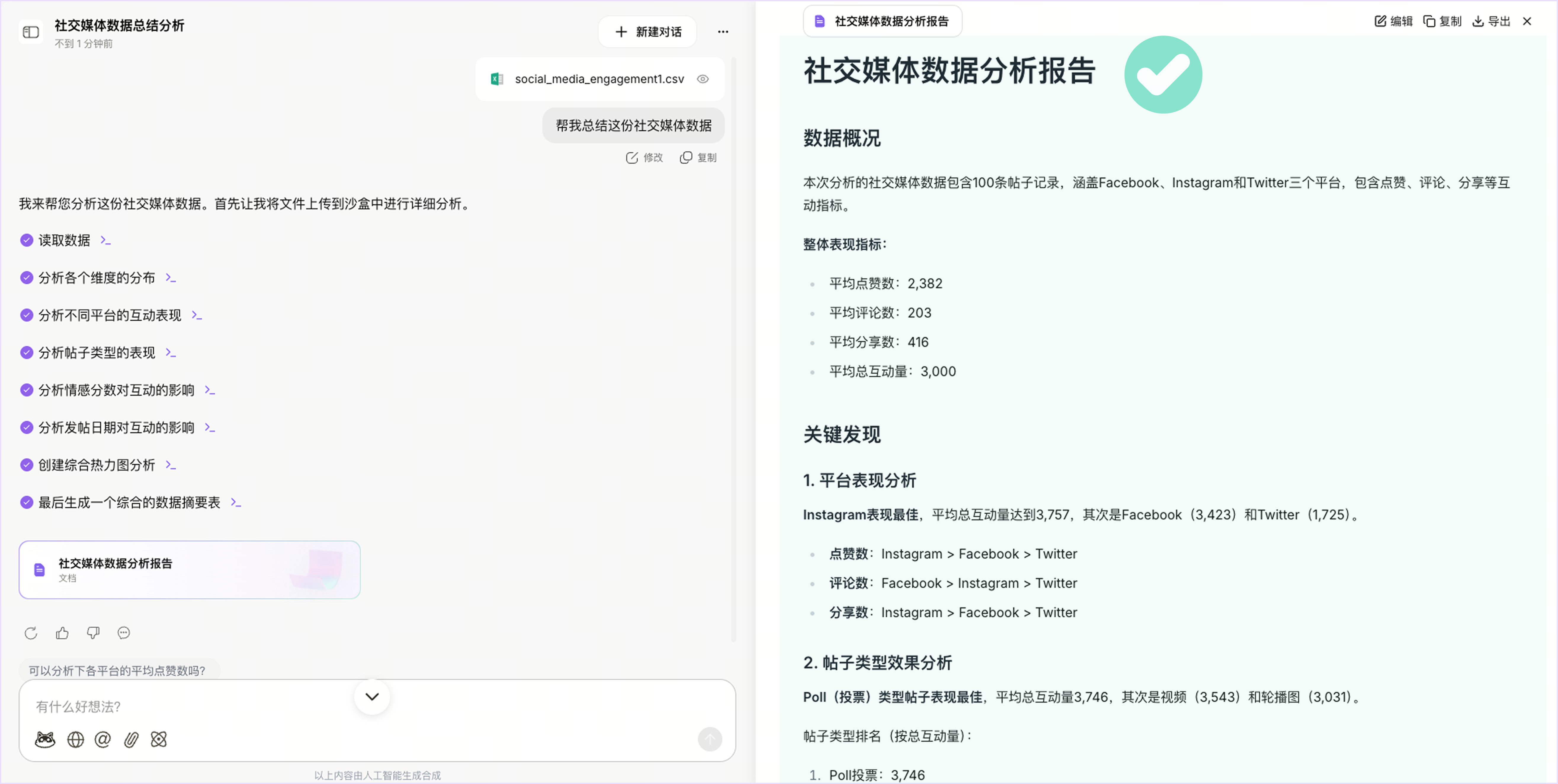
3. Generate Results
The system will automatically perform the relevant operations based on your instruction and return the results in the chat window or report page.
4. Export Results
If you wish to edit or export the generated report, click the "Edit" / "Export" button in the top-right corner of the report. If you have modified the data and want to download it, the system will generate a download link in the chat or report. Click it to get the exported file, as shown below.